How to Use
How to Use
Main Area
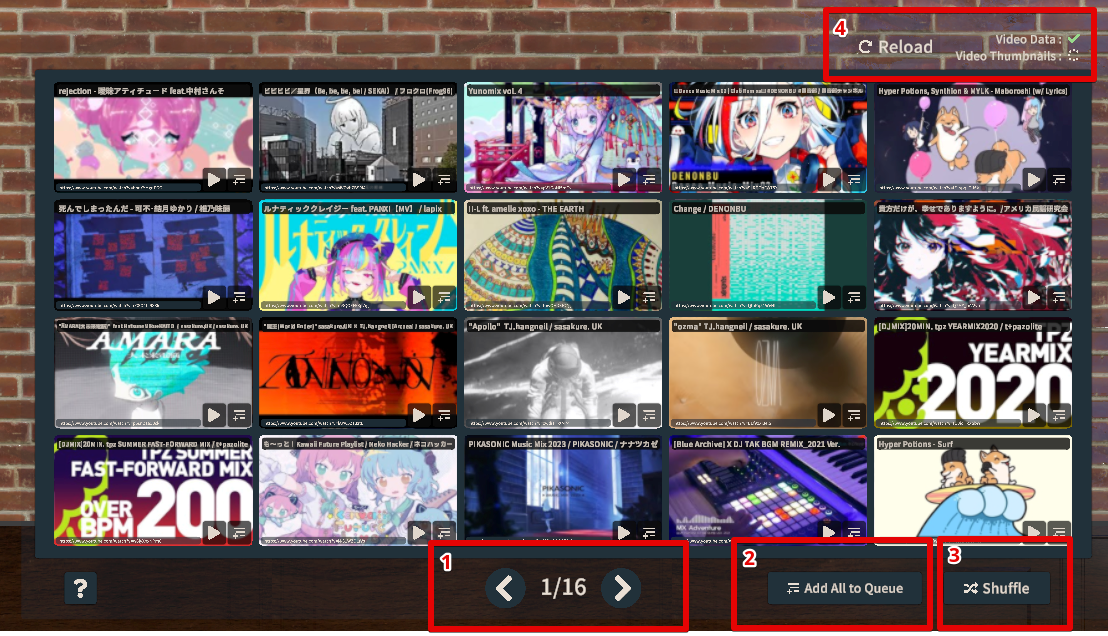
-
You can navigate pages.
-
Adds all songs from all displayed pages to queue.
(※You need to enable this by following these steps) -
Shuffles all songs from all displayed pages.
-
Shows the loading status of video list and thumbnails.
You can reload when loading is complete or when loading fails with an error.
Each Video
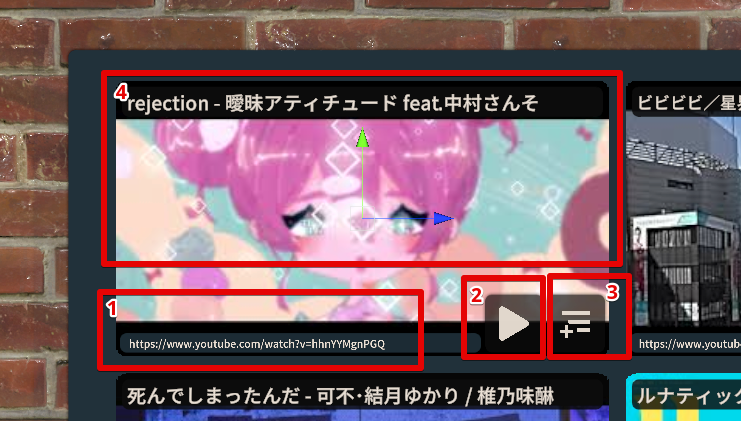
- You can copy the video URL.
- Starts playing the video.
- Adds the video to queue.
- Tapping the thumbnail area displays the list of tags set for the video.
Tag Area
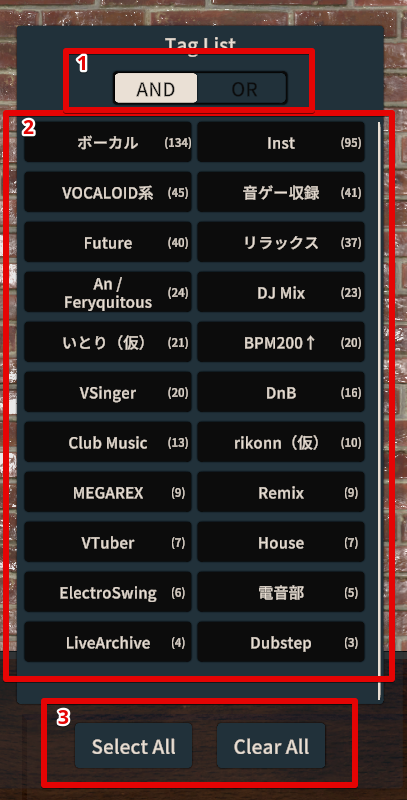
- You can set the tag filtering mode.
AND filters for “videos that contain all selected tags”, OR filters for “videos that contain at least one of the selected tags”. - You can select tags to filter videos.
- You can select all or deselect all tags.